New Campaign Type: Commission Boost Is Here!
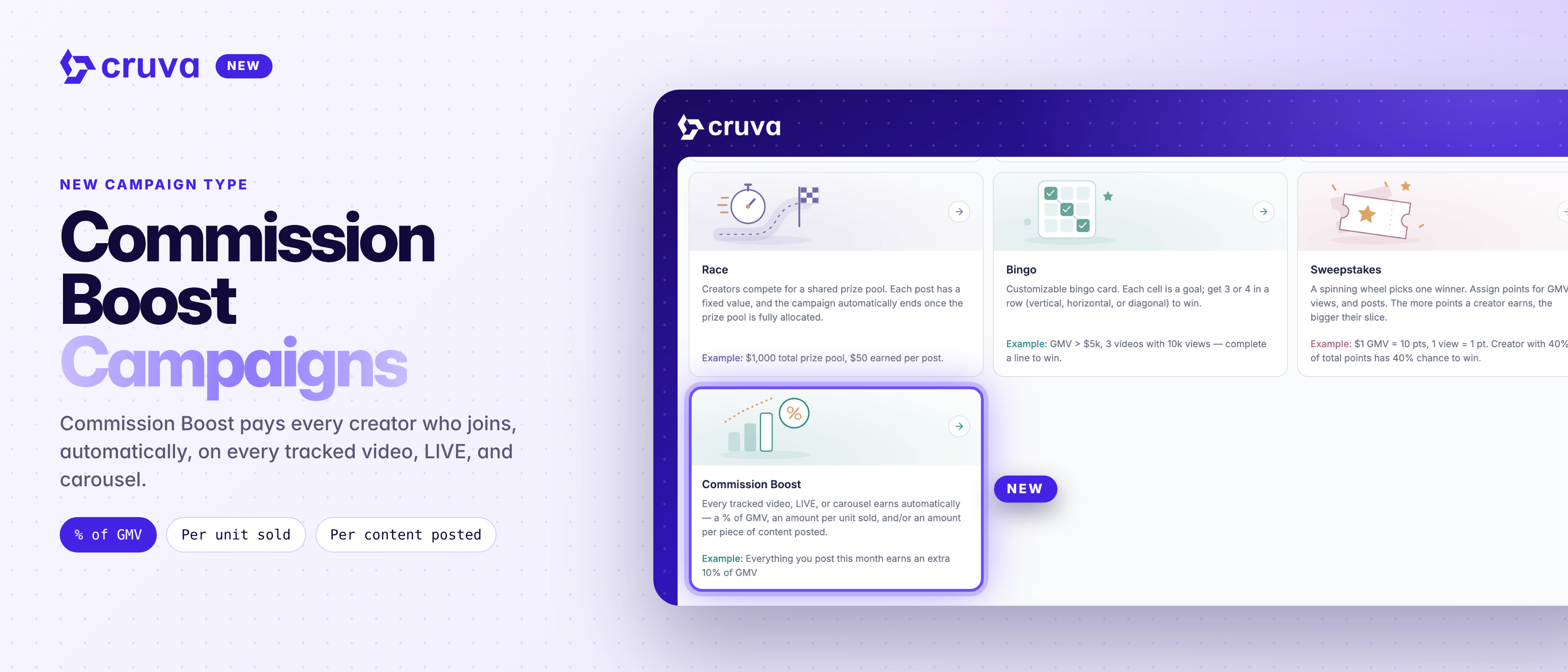
A new campaign type that pays creators automatically on every tracked post: a % of GMV, an amount per unit sold, and/or an amount per post.
Contests, leaderboards and races reward the creators who come out on top. That works when you want competition, but most of your creators never place, and a bonus they can't win doesn't change what they post.
Most creators never win
Tiers and rankings reward a handful of people at the top and leave everyone else with nothing to aim for.
Bonuses feel out of reach
When a payout depends on beating other creators, steady posters have little reason to keep going.
Rewards don't track sales
Flat prizes pay the same whether a post sold a lot or a little.
Manual tallies every period
Working out who earned what across videos, LIVEs and carousels takes time each month.
How it works
Commission Boost is a new campaign type in Creator Community > Campaigns. Every joined creator earns on their own tracked content, at the rates you set. Think "Everything you post this month earns an extra 10% of GMV."
- 1
Choose Commission Boost
Create a campaign and pick Commission Boost as the type. The usual campaign product list still applies.
- 2
Set one or more rates
Pay a % of GMV, an amount per unit sold, an amount per content posted, or any mix. The rates add together for each creator. A new Commission Boost starts at 10% of GMV.
- 3
Pick which content counts
Count videos, carousels, LIVEs or any combination. Every type you count earns all of your rates, so a LIVE earns the per-content rate too.
- 4
Run it once or on repeat
Fixed campaigns have one start and end date. Recurring campaigns run in weekly or monthly periods back to back, with an optional maximum number of periods.
- 5
Track and pay
The participants table shows each creator's GMV, Posts and Payout. Amounts show In progress until a period closes, then Pay lets you send it from your community balance.
There is no campaign budget or per-creator cap on a Commission Boost. Earnings grow with the sales your creators drive, so set rates you're comfortable paying at any volume. If you need a hard spending limit, a Race is the better fit.
No tiers, rankings or winners. Every joined creator earns on their own content.
Which sales count
By default, a period pays on every sale credited inside it, no matter when the content was posted. An older video that keeps selling earns on the sales it makes during the period.
Two switches in the schedule section narrow this. Turn on Only count earnings from new content posted during this period to pay only on content posted inside the period. Turn on Only count earnings after the creator joins so a mid-period joiner earns from their join date onward. With both on, a late joiner only earns on content posted after joining.
When to use Commission Boost
- Commission Boost. Pays on actual sales and posts, with no cap. Use it to add a performance bonus on top of TikTok Shop commission.
- Race. Pays a fixed rate per post or per views from a limited shared pool. Use it when you need a hard spending cap.
- Retainer. Pays a set amount for a set number of posts. Use it for agreed deliverables.
Launch your first Commission Boost
Commission Boost is available now in Creator Community > Campaigns. Choose it as the campaign type, set your rates and share the join link.