Creator Contracts Without the Back-and-Forth
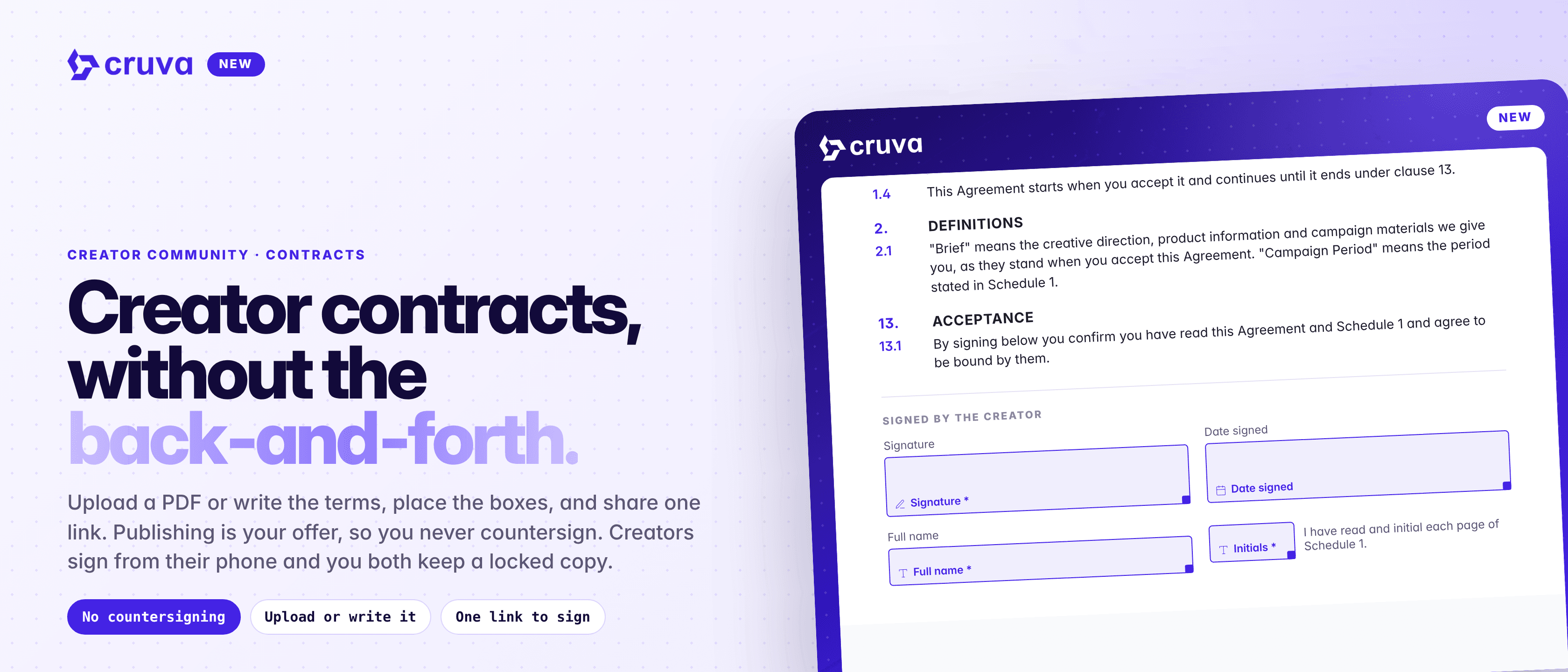
Create or upload contracts, send one signing link to creators, track signatures, and keep all your signed agreements organized in Cruva.
Getting creators to sign an agreement usually means a separate e-signature tool, emailing PDFs back and forth, and chasing signatures before anyone can start. Then the signed copies end up somewhere nobody on the team can find them.
Another tool to pay for
Sending agreements meant leaving Cruva for a separate e-signature service.
Signing slows the start
Creators wait on paperwork before they can join a campaign or post.
Copies go missing
Signed PDFs live in inboxes and drives, not next to the creator you work with.
Which version did they sign?
Once terms change, it's hard to prove who agreed to what.
How it works
Open Creator Community > Contracts and click Create new contract.
- 1
Upload a PDF or write the terms
Upload a PDF up to 30 MB and 100 pages, or type or paste your terms as plain text. Cruva turns written terms into a PDF with a signature page, boxes already placed.
- 2
Place the signature boxes
Drag Signature, Initials, Full name and Date signed boxes onto the pages and mark each as required or optional. Date signed fills itself. You need at least one required Signature box.
- 3
Brand the signing page
Add a description, button name, banner and an optional link button, such as Join Discord, with a live phone preview. Anything you leave untouched follows your Brand Hub.
- 4
Publish and share
Publish to get a signing link to post anywhere, or click Send to creators to send it to up to 50 creators as a card in their messages with you.
- 5
Or make it the terms
Choose Contract to sign as the terms of a campaign, your Brand Hub or a Meta program, and creators sign it as part of joining.
You never countersign. Publishing the contract is your offer, and the creator's signature accepts it.
Creator contracts, without the back-and-forth.
What creators see
Creators sign in to Cruva Creators, tap Read and sign, fill each box, type their full legal name and tap Sign and agree. Their signature and initials are saved, so after the first contract a single tap fills them. Cruva adds a Signature page to the end of the PDF, emails them a copy and keeps it under My contracts.
Each creator signs a contract once. A creator who already signed from the link isn't asked again when they join something that uses the same contract as its terms.
Every signature on record
- Locked at the first signature. The file, title, boxes and termination terms can't change once someone signs, so everyone signs the same document. Duplicate it to make a new version.
- A full signing record. The Signers tab shows each signed copy with the typed name, account, times, IP address, device and document fingerprints, plus a check that the stored copy still matches.
- Right where you work. Contracts show on the campaign page, in a creator's Contracts tab in Creator Community > Creators, and in a Contracts column in My Affiliates.
- Termination terms you set up front. Choose can't be terminated, either party can end it with 1 to 365 days of notice, or ends with the campaign. Termination is recorded on the copy and doesn't change campaigns or payouts on its own.
Send your first creator contract
Contracts are in Creator Community > Contracts. Anyone on your team who can open Campaigns can create, send and manage them.