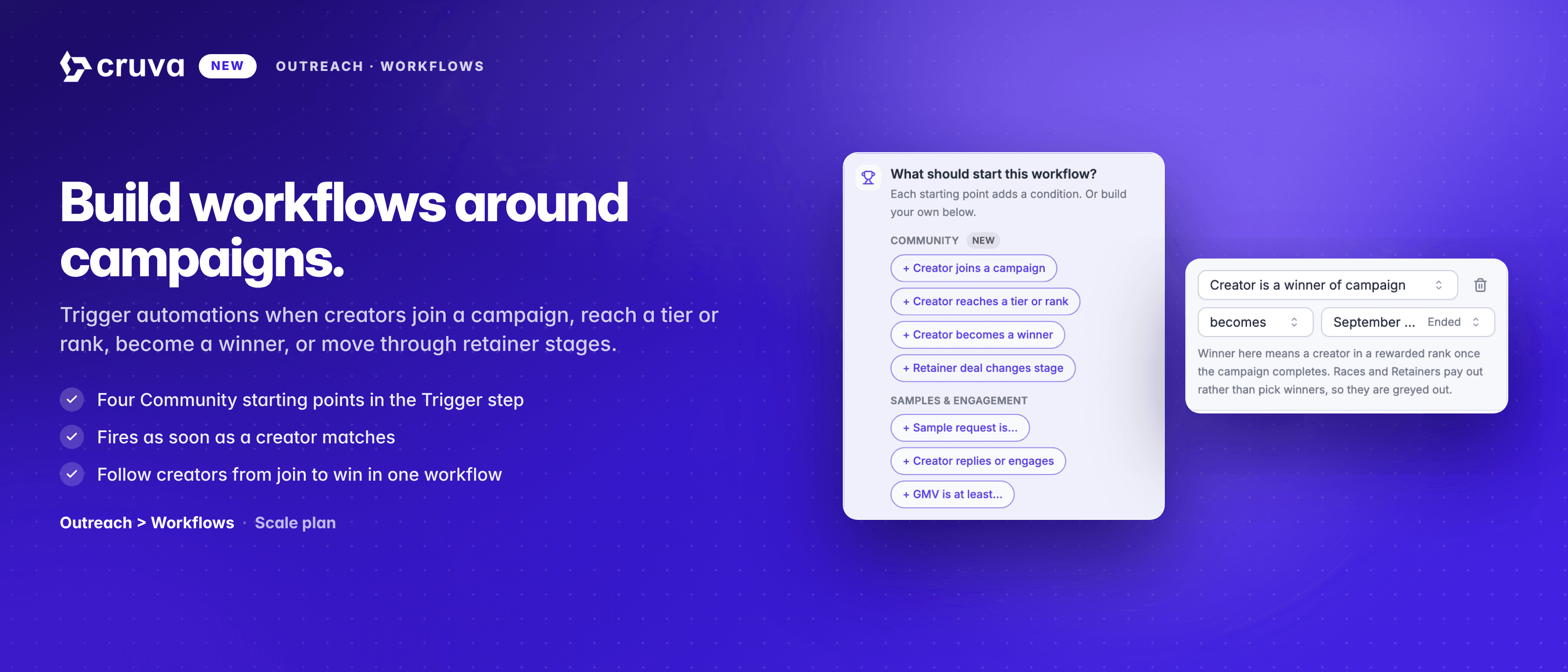
Introducing Workflows
A drag-and-drop builder for creator outreach that has more than one step. Set a trigger, add branches, delays and wait-until conditions, and let the flow react to what each creator does.
Outreach stops being one message very quickly. You invite a creator, and then what happens next depends on what they do — did they reply, did they post, did they hit the number that makes them worth a different conversation. Until now the only way to express that in Cruva was another group, another bot, another audience to keep in sync. Brands ended up running thirty of them to describe a single journey.
A group for every "what next"
Each follow-up, each tier, each nudge needs its own group and its own audience — and every one of them drifts the moment your creators do.
Timing is yours to remember
Nothing waits three days on your behalf. The follow-up goes out when someone remembers to send it, which is rarely three days.
Nothing reacts to the creator
A group treats everyone in it the same. The creator who replied and the creator who ignored you get the same next message.
People get talked over
Two overlapping audiences means two messages, from you, on the same day, to the same creator.
How it works
A workflow is the whole journey on one canvas. Set a trigger, then layer in conditional branches, delays and wait-until conditions so the flow reacts to what each creator actually does. You build it once; it runs on its own, creator by creator.
- 1
Start with a trigger
Creators enter the moment they match your conditions — or on a daily, weekly or monthly cadence if you would rather pull people in on a schedule.
- 2
Drag in what should happen
DMs, Target Collab invites, invite and DM together, emails, add-to-list. Drop a step anywhere on the flow and the canvas arranges itself.
- 3
Let it wait, and let it branch
Didn't reply in 3 days? Follow up. Hit a GMV threshold? Branch them into VIP treatment. Already in another flow? Skip them automatically.
- 4
Watch what actually happened
Every step carries live counts — entered, completed, waiting — with a per-creator event feed behind it telling you what sent, what was skipped, and why.
Would rather not start from a blank canvas? The template gallery ships working starters — welcome new creators, nudge a stalled sample request, invite and follow up — with the logic already wired and only your copy left to fill in.
One workflow messages the right creator at the right time. You build it once, and it keeps doing it.
Built for outreach you actually have to trust
Exclusions are re-checked at every single send, not just when someone enters, so adding a creator to an excluded list stops the messages already in flight for them. A single switch skips anyone currently in another workflow, so two flows can never talk over each other. Daily send limits are set per weekday, separately for DMs and invites, in the timezone you choose.
And a workflow behaves when it hits a wall: if your shop reaches TikTok's own send quota, the flow parks itself until the quota resets rather than burning retries. You can edit a running workflow too — creators keep their place, and Cruva tells you how many people are standing on a step before you rewrite the message they are about to receive.
Inside the builder
Everything lives in one full-bleed canvas, organized into five parts:
- Triggers — who enters and when: live matching as creators qualify, or a daily, weekly or monthly sweep.
- Actions — the steps that do something: send a DM, a Target Collab invite, invite and DM together, an email, or add them to a list.
- Controllers — the steps that shape the journey: wait, wait until something becomes true, branch on a condition, or exit.
- Canvas — drag from the palette onto any point in the flow. The layout is automatic, branches can rejoin, and there is nothing to arrange by hand.
- Activity — the event feed per step: who entered, what queued, what sent, what was skipped and what timed out.
Available now on the Scale plan
Open Workflows under Outreach and start from a template, or read the full guide for every trigger, step and setting.