Flexible Retainer Dates, Per Creator
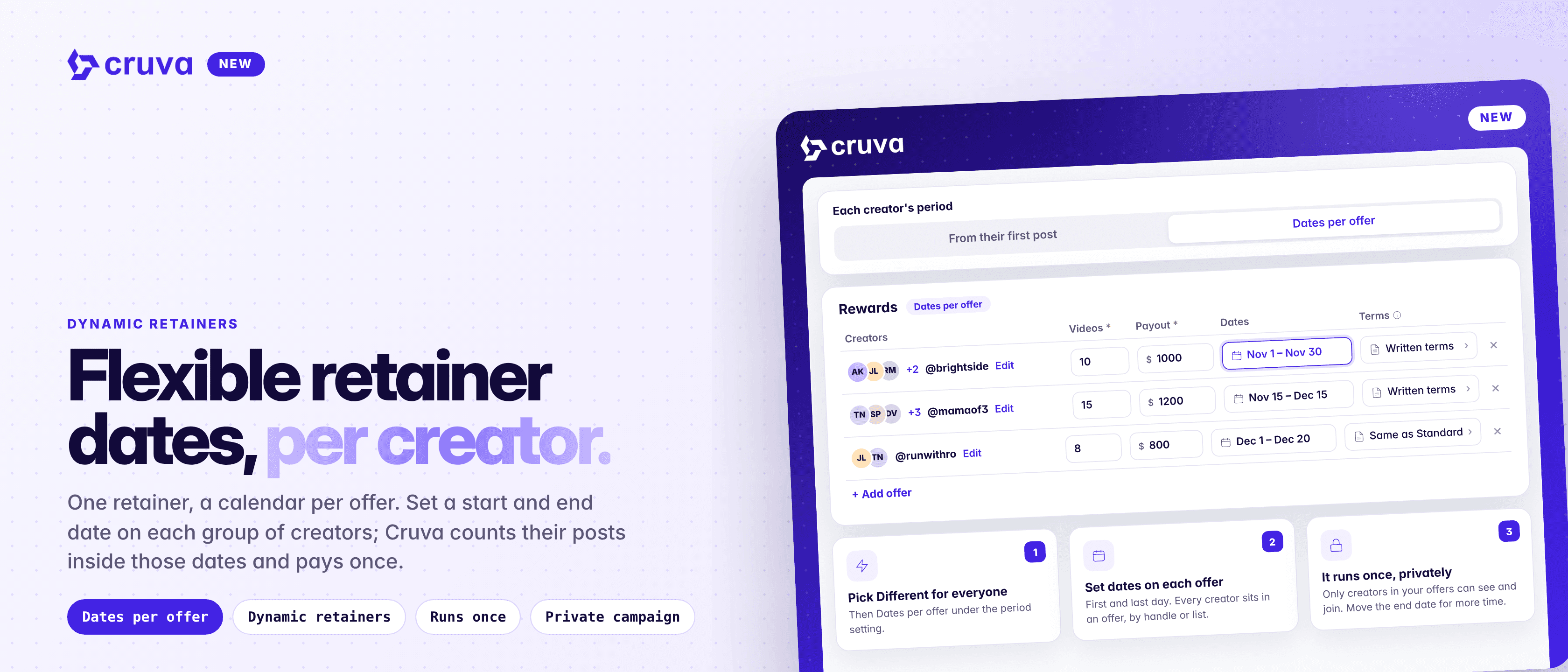
Set unique start and end dates for each group of creators. Cruva automatically tracks posts within their assigned periods.
Not every creator in a retainer starts on the same day. Some deals run for November, others start mid-month or cover the holidays. Dynamic retainers now have a second option, Dates per offer, so each group of creators runs on its own set dates inside one campaign.
Dates on each offer
Give every offer its own start and end date instead of one schedule for everyone.
One period, paid once
Posts count inside the offer's dates, and the creator is paid once when the period closes.
Private by design
Only the creators in your offers can see and join the campaign.
How it works
Create a retainer in Creator Community > Campaigns. On Schedule & tracking, choose Different for everyone, then under Each creator's period pick Dates per offer instead of From their first post.
- 1
Choose Dates per offer
There's no duration or period count to set. Each creator's period runs once, on their offer's dates.
- 2
Add your offers
In the rewards, add an offer for each group of creators, by handle or through a saved list. There's no Standard row, so every creator needs to be in an offer.
- 3
Set dates on each offer
Click Set dates on the offer and pick the first and last day.
- 4
Set the terms
The campaign's own terms and contract go on the terms step, and every offer left on Same as Standard gets them. Edit an offer's terms to give its creators a different contract.
The choice between From their first post and Dates per offer locks once creators join.
One retainer, a calendar per offer.
How each creator's period runs
- One period, no renewal. It runs from the start of the start date to the end of the end date, in the campaign's timezone. To give creators more time, move the offer's end date.
- Posts count inside the dates. Only after the creator's deal is active. A creator who joins after the start date counts from their deal, not from the start date.
- Grace works as usual. Stats keep settling for the grace days after the end date. Posts made during grace count only when grace-period posting is on.
- Reminders and Auto Pay follow the dates. Reminders count down to the offer's end date, and Auto Pay charges once the end date, the grace days and your review window have passed.
Run your next retainer on set dates
Create a retainer, choose Different for everyone on Schedule & tracking, and pick Dates per offer under Each creator's period.